from fairdatanow import data_now
from hyperviz import make_dashboard

url = 'https://laboppad.nl/ukiyo-e-world'

toml_txt = """
[data.npz]
RV-1-4468-544 = ".*RIS/interim/.*RV-1-4468-544.*[.]npz"
RV-1-4469-484 = ".*RIS/interim/.*RV-1-4469-484.*[.]npz"
RV-1-4469-58 = ".*RIS/interim/.*RV-1-4469-58.*[.]npz"
RV-1-4469-x6 = ".*RIS/interim/.*RV-1-4469-x6.*[.]npz"
RV-1-4469Q = ".*RIS/interim/.*RV-1-4469Q.*[.]npz"
RV-1-4470-12 = ".*RIS/interim/.*RV-1-4470-12.*[.]npz"
RV-1-4470-27 = ".*RIS/interim/.*RV-1-4470-27.*[.]npz"
RV-360-2345g = ".*RIS/interim/.*RV-360-2345g.*[.]npz"
RV-360-2359-2 = ".*RIS/interim/.*RV-360-2359-2.*[.]npz"
RV-360-6886 = ".*RIS/interim/.*RV-360-6886.*[.]npz"

[data.tif]
RV-1-4468-544 = ".*akama.*RV-1-4468-544[.]tif"
RV-1-4469-484 = ".*akama.*RV-1-4469-484[.]tif"
RV-1-4469-58 = ".*akama.*RV-1-4469-58[.]tif"
RV-1-4469-x6 = ".*akama.*RV-1-4469-x6[.]tif"
RV-1-4469Q = ".*akama.*RV-1-4469Q[.]tif"
RV-1-4470-12 = ".*akama.*RV-1-4470-12[.]tif"
RV-1-4470-27 = ".*akama.*1-4470-27[.]tif"
RV-360-2345g = ".*akama.*RV-360-2345-?g[.]tif"
RV-360-2359-2 = ".*akama.*RV-360-2359-2[.]tif"
RV-360-6886 = ".*akama.*RV-360-6886[.]tif"
"""

data = data_now(url, toml_txt)
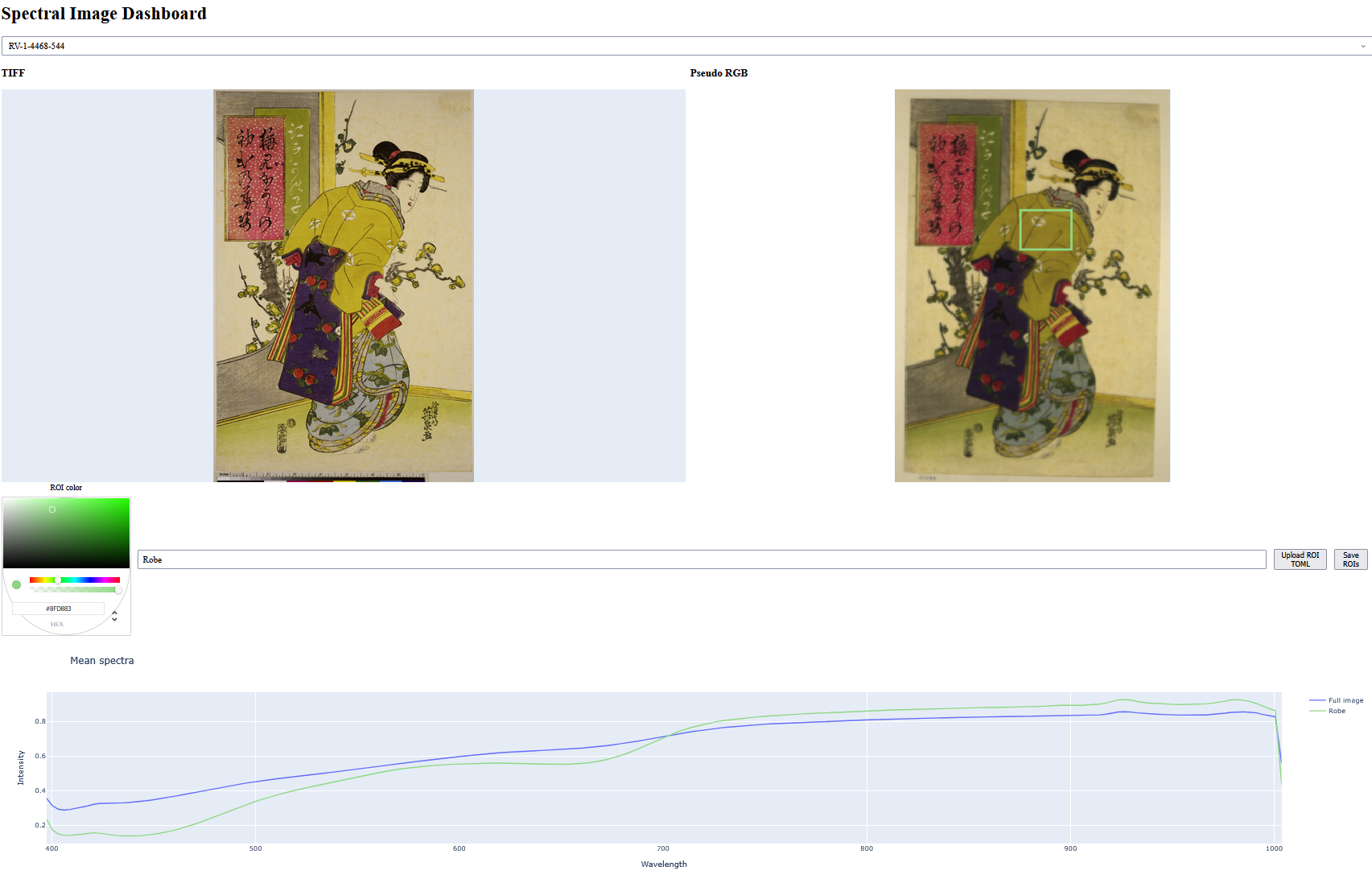
make_dashboard(data, toml_txt)NPZ & TIF Dashboard
API
The following API reference is generated from the public functions and their docstrings in hyperviz.npz_dashboard.
create_dashboard(data_dict: dict, toml_text: str, *, default_object: str | None = None, title: str = 'Spectral Image Dashboard') -> dash.dash.Dash
Create a spectral-image dashboard without starting its server.

Parameters
----------
data_dict
    Mapping with matching ``npz`` and ``tif`` entries for each object.
    NPZ files must contain ``image`` and ``wavelengths`` arrays.
toml_text
    TOML configuration retained by the dashboard when ROI annotations are
    downloaded.
default_object
    Object selected when the dashboard opens. The first NPZ object is used
    when this is omitted.
title
    Heading displayed above the dashboard.

Returns
-------
Dash
    The configured Dash application. Call ``run`` on it to start a server.

Raises
------
ValueError
    If no NPZ objects are supplied or ``default_object`` is unknown.
make_dashboard(data_dict: dict, toml_text: str, *, default_object: str | None = None, title: str = 'Spectral Image Dashboard') -> None
Create and launch an interactive spectral-image dashboard.

Parameters
----------
data_dict
    Mapping with matching ``npz`` and ``tif`` entries for each object.
    NPZ files must contain ``image`` and ``wavelengths`` arrays.
toml_text
    TOML configuration retained by the dashboard when ROI annotations are
    downloaded.
default_object
    Object selected when the dashboard opens. The first NPZ object is used
    when this is omitted.
title
    Heading displayed above the dashboard.

Notes
-----
This function starts Dash in external Jupyter mode and blocks until the
server is stopped. Use ``create_dashboard`` when the application needs
to be configured or embedded before it is run.